
Workflow6 min read
Why spec-to-code fails, and how we fix it
A spec should keep the agent's code on target. In practice it is too long to review, full of the agent's guesses, and blind to what you decided last time. We fix that by making the spec easy to read and change.
Tao Wu · Founder of AI4KanbanOn this page
What is spec-to-code, and why write a spec at all?
Spec-to-code means a coding agent writes code from a written spec that you have read and agreed to. The spec says what to build; the code is checked against it.
The reason is simple. Hand an agent a one-line request and it may fill every gap itself — which screen changes, what counts as done, how an edge case behaves. You find out once the code exists. A spec settles those choices before any code exists. Changing one then costs a sentence, not a rewrite.
How do today's tools write a spec?
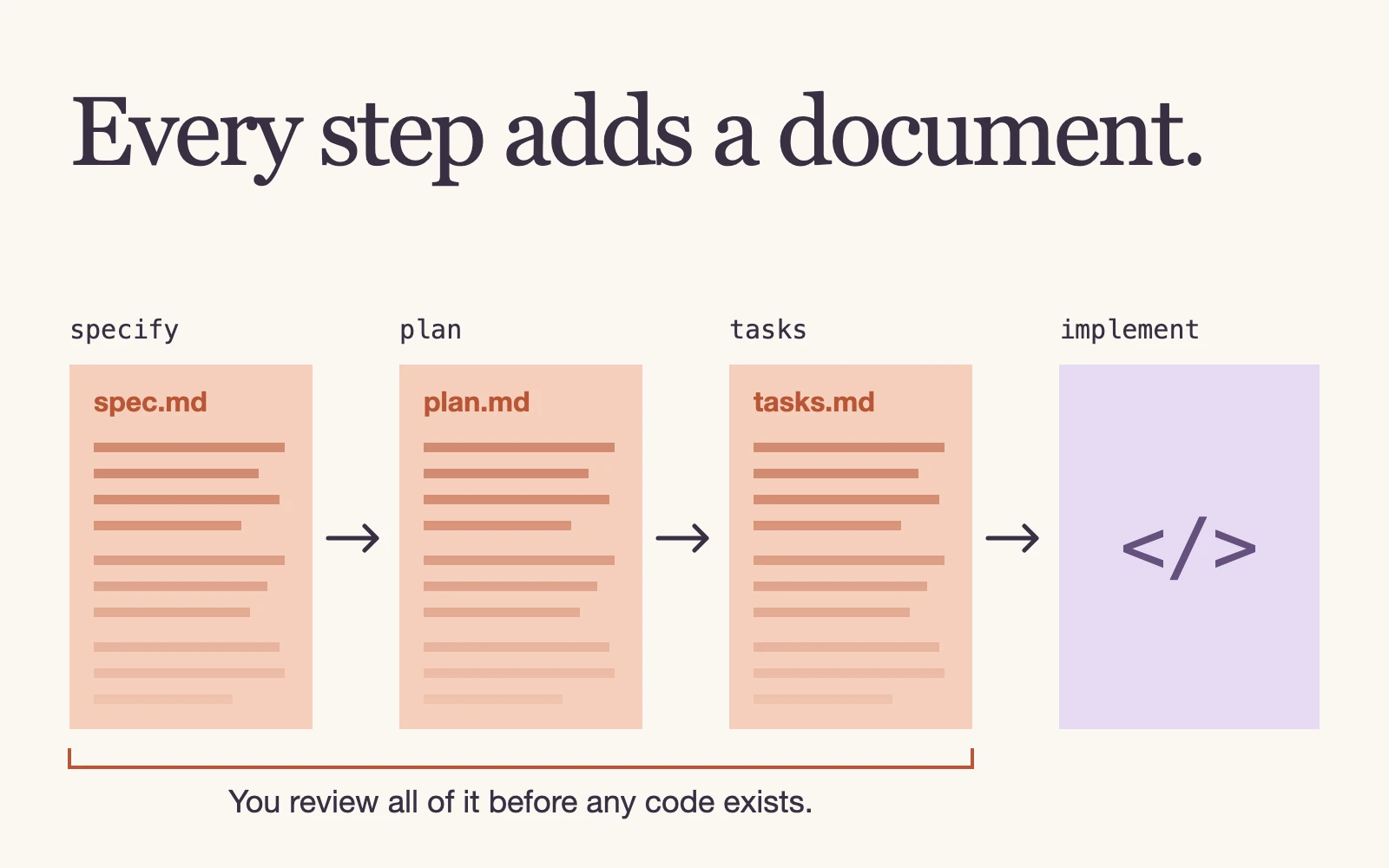
Most spec-driven tools follow the same order: spec, then plan, then tasks, then code.
- GitHub Spec Kit provides a command for each step:
/speckit-specify,/speckit-plan,/speckit-tasks,/speckit-implement. - Kiro specs use three files per feature:
requirements.md,design.mdandtasks.md. - Superpowers uses skills:
brainstormingasks what you actually want and writes a design document,writing-plansbreaks it into small tasks with exact file paths and code, andexecuting-planscarries them out.
In all three, the agent drafts long Markdown documents from your request, and you review them before any code is written.
Why does spec-to-code fail?
The idea is sound. The experience often is not.
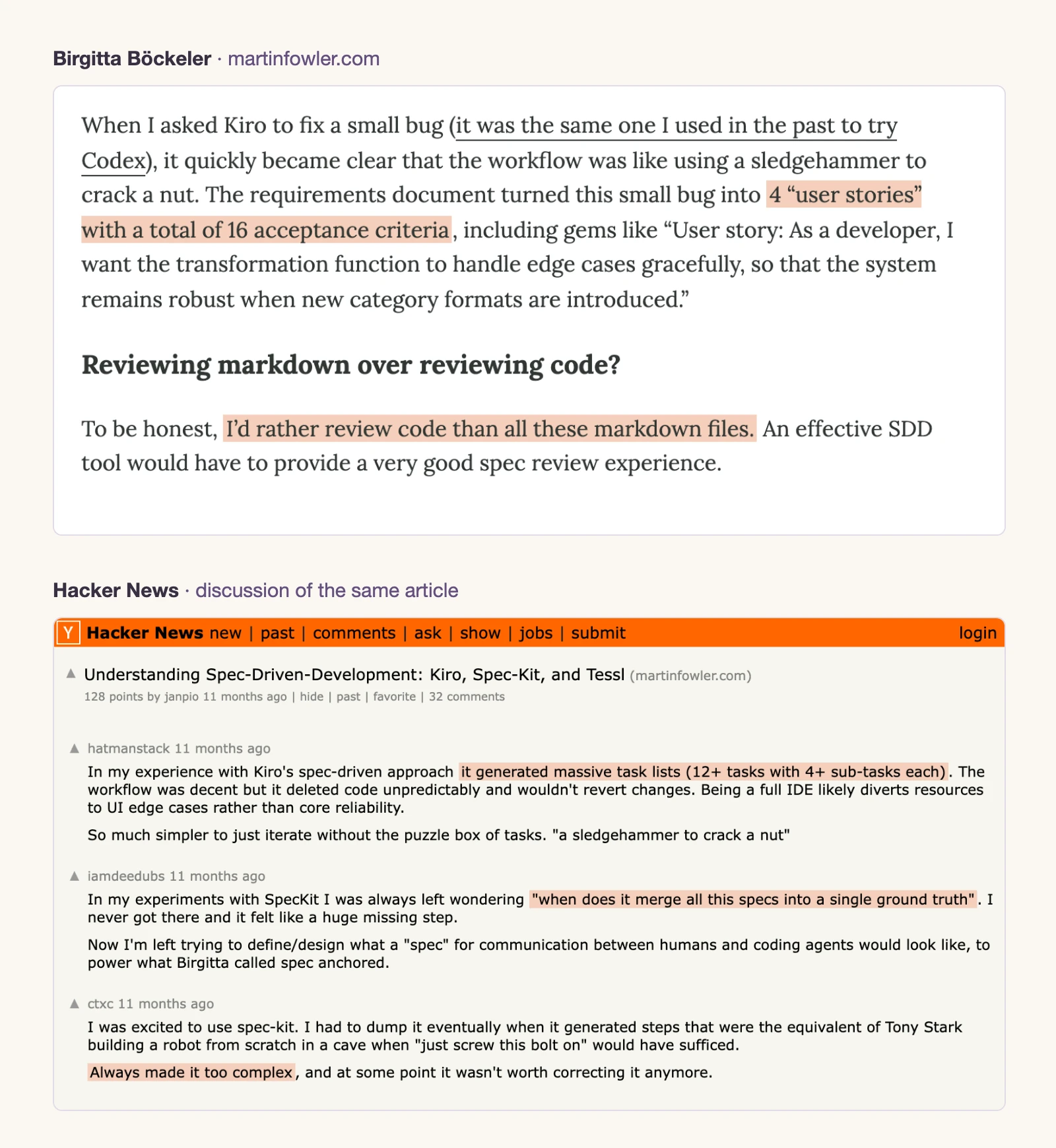
- The spec is too long to review. Birgitta Böckeler tried Kiro and Spec Kit for Martin Fowler's site: one small bug became "4 'user stories' with a total of 16 acceptance criteria", and Spec Kit produced Markdown files that were "repetitive, both with each other, and with the code that already existed". Her verdict: "I'd rather review code than all these markdown files." Colin Eberhardt measured his Spec Kit run: 2,577 lines of Markdown and 3.5 hours of review for one feature increment. François Zaninotto describes showing the current date in an app turning into 8 files and 1,300 lines of text.
- Every change means reading it all again. Reading the spec once is the easy part. You change a requirement, the agent rewrites the documents, and you review the whole thing again to see what changed.
- The agent decides for you, quietly. A spec usually comes out of one round of discussion. Along the way the agent makes dozens of assumptions, and some are wrong. They sit in the prose looking as settled as everything else. Matt Pocock's grilling skill tries to fix this: the agent asks its open questions round by round, each with a recommended answer, until there is "nothing left silently assumed". That is a trade-off. Either you answer dozens of questions, or you let the agent settle the minor ones and ask only about what matters — and some wrong guesses still get through.
- Nothing remembers your past decisions. You have written many specs. You still forget choices you made months ago. So does the agent; its built-in memory does not reliably bring them back when they matter.
How do we fix it?
There are two ways to make a spec easier to review.
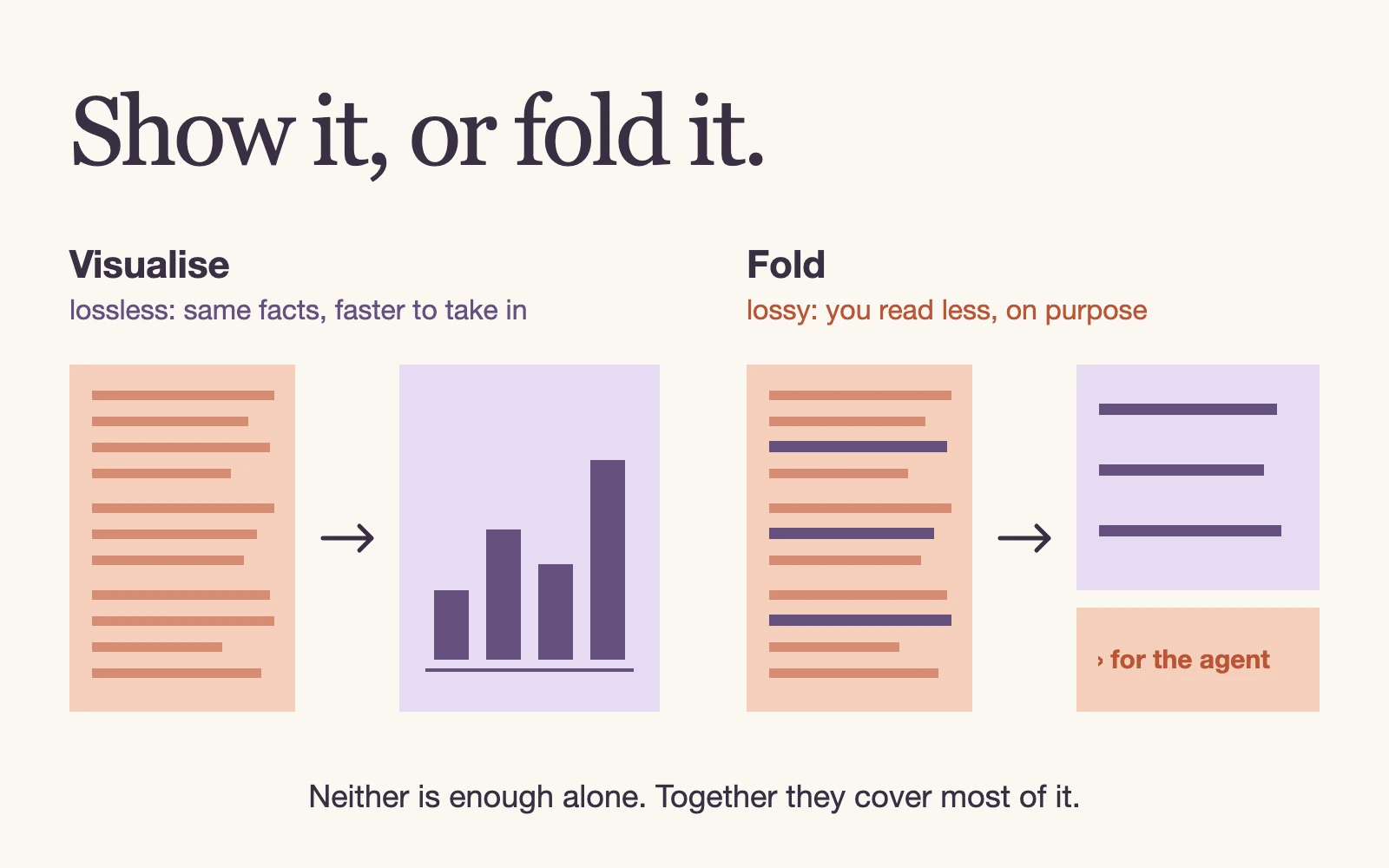
Visualise it. Show the information in a form you read faster: a mockup instead of text describing a screen, a diagram instead of a list. Answer me with HTML is a recent example: it turns an agent's Markdown answer into a page with diagrams, charts and tables. This removes nothing. It is lossless compression: the same information, easier to digest.
Fold it. Pull out what you need to review, and fold away the rest for the agent. The details are still there. You just read less — lossy compression for the reader.
Neither is enough alone. A visualised 2,500-line spec is still 2,500 lines; a collapsed spec written in dense prose is still hard to review. Together they address most of the review burden.
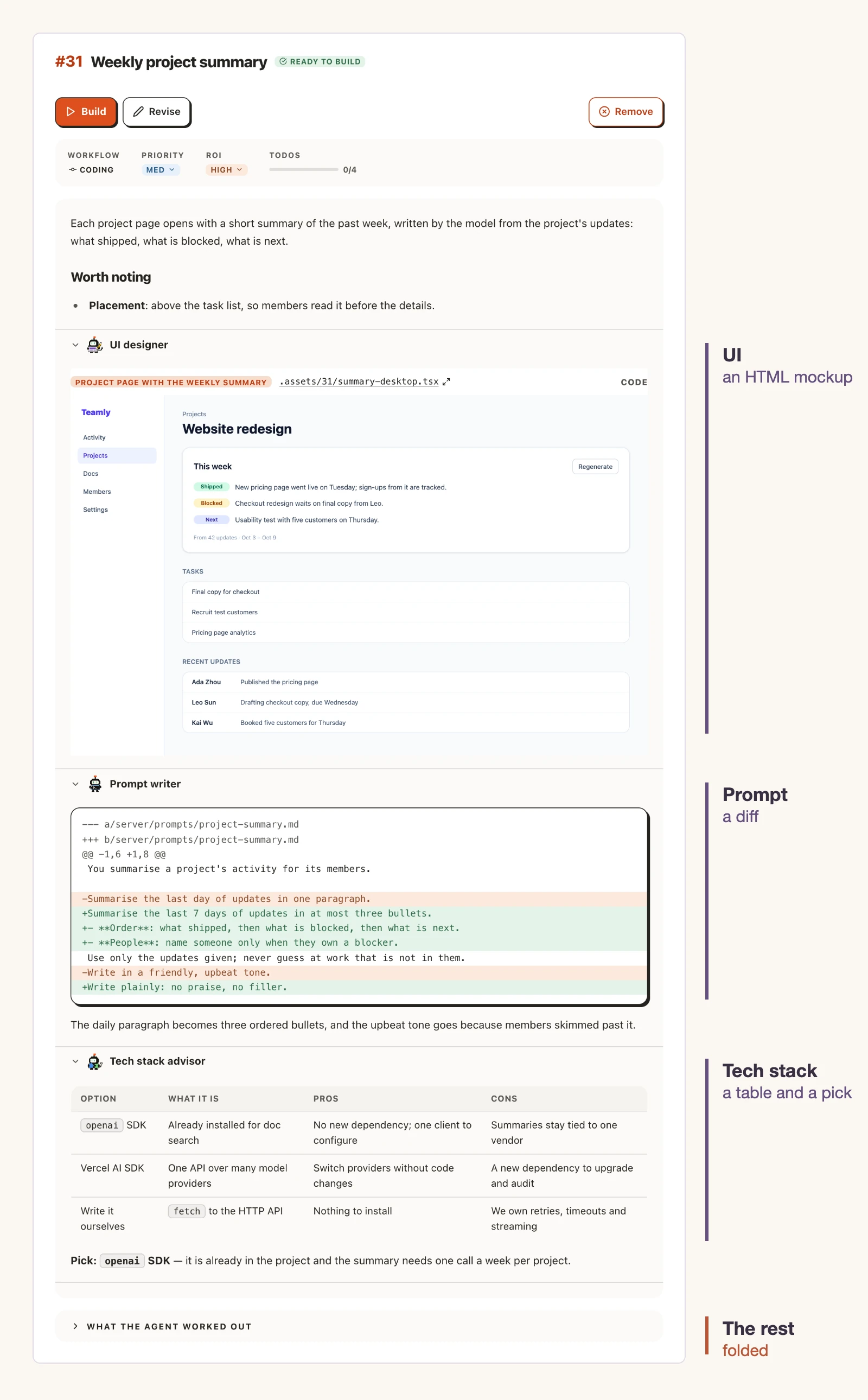
AI4Kanban's planning does both. Different planning agents pull out what needs your review, each in a form that suits the work. Here are three examples:
- The UI, because your users touch it directly. You get an HTML mockup to look at, not a paragraph describing a screen.
- Prompts, because one wrong rule can multiply your model costs. You get the exact change as a diff to review.
- The tech stack, when something has to be chosen. You get a comparison table with a recommendation.
The rest — the implementation notes the coding agent needs — is folded away below. Each part is drafted by its own agent with its own memory. The ui-designer, for example, remembers your UI preferences and corrections. The next mockup starts from what you already told it. Questions that need your judgment come to you with options and a recommendation.
What can't a spec fix?
Software quality, on its own. A spec says what you want and cuts misunderstandings during the build. It cannot tell you what you missed.
If you did not know about a requirement, the spec will not know about it either. Neither will the code. You still have to know what good software needs, and catch what is missing.
Many coding agents write unit tests after building a feature. Useful, but tests can pass while the feature still misses what users need. AI4Kanban adds two more checks. A QA agent acts as a user to look for design and implementation gaps. After a feature lands, the board looks back at what was missed and proposes follow-up work.
Frequently asked questions
Is a spec written for humans or for the agent?
Both. It is the agreement on what to build. You read it to check that it says what you meant; the agent builds from it. Skip your part, and you may both agree to the wrong thing.
If I only review the key decisions, who checks the rest?
You choose what to check. You may leave JavaScript syntax to the agent, for example, and still want to see the UI yourself. Where you do not trust it, add an agent that pulls those parts out for you to review. AI4Kanban's coding workflow already has seven planning agents for different areas; you can create your own or contribute one to AI4Kanban.
Can a spec contain only key decisions and drafts?
No. You can skip the details; the agent cannot. A mockup shows how a screen looks, not what it does. As the VISTA benchmark for agents that build apps from designs puts it, "a screen that looks right is not an application that works." A mockup needs notes beside it. AI4Kanban folds the part written for the agent, so you can read just the drafts and key decisions.
Can I skip the drafts and review and just build?
Yes, if you can live with the result. Without a draft, the agent may build an ugly screen that meets your request word for word and still misses what you expected. Without the key decisions pulled out, you spend your attention on every small detail. You become the bottleneck. With both, you hand over the details and get your speed back. Full automation would need the agent to share your design taste, your business judgment and every subjective call you make. Today's agents cannot reliably make all those calls for you.
Does this work beyond code — spec-to-slides, spec-to-video?
Yes. Any work that benefits from a plan and a draft can run this way. AI4Kanban ships workflows for blog posts, slide decks, carousel posts and product videos. This post was made with the blog workflow: the writing is ours, and the agents handled the outline, editing and images.