
Workflow5 min read
Draft-first development: rework the drafts, not the code
Ask the agent for drafts of the parts that need your judgment. Review the screens, copy and prompts, then let it handle the implementation.
Tao Wu · Founder of AI4KanbanOn this page
Why does an idea still take several rounds of rework?
You give a coding agent an idea, start /goal, and leave it to work for two hours. It finishes the feature and passes the checks. Then you spend two days reworking it.
Sometimes the agent has built more than you wanted: another setting, another screen, another choice for the user to make. Sometimes the details are wrong. The layout feels cluttered. A label sounds awkward. A prompt leaves room for an interpretation you never intended.
Sometimes the idea itself needs to change. The feature looked useful on paper. Once you see the UI, the ROI looks poor: too much complexity for too little benefit.
Tests, evals and automated review can verify behavior you have defined. But they cannot settle every question of taste, wording or product value. Those decisions still need human judgment.
In draft-first development, the agent drafts the key screens, copy or prompts during planning. You review and revise those drafts before the agent builds the feature, when changes are still inexpensive.
What do plan mode and specs leave unresolved?
In plan mode, the agent proposes an approach for you to review before implementation. A request like “add a settings page” can produce a plan with all the right steps, yet leave you with little idea of what the page will look like.
Spec-driven development makes the requirements more explicit. By spelling out the scope, constraints and acceptance criteria, it gives the agent less room to add work you never asked for. This helps when a task has many dependencies or a missed requirement would be expensive to fix.
But even a small task can require pages of documentation for you to review, without making the UI or wording any more precise.
A requirement to “use a simple layout” still leaves the agent to decide what that layout should be. “Write a concise prompt” leaves every sentence of the prompt open to interpretation. You can approve both requirements and still reject what the agent produces.
A spec can also include mockups and exact wording. When it does, you can review those parts of the result directly, before the agent builds the rest of the feature around them.
Thariq Shihipar of Anthropic's Claude Code team put it more directly in a post about removing plan mode: “I don't think the models need plan mode anymore.”
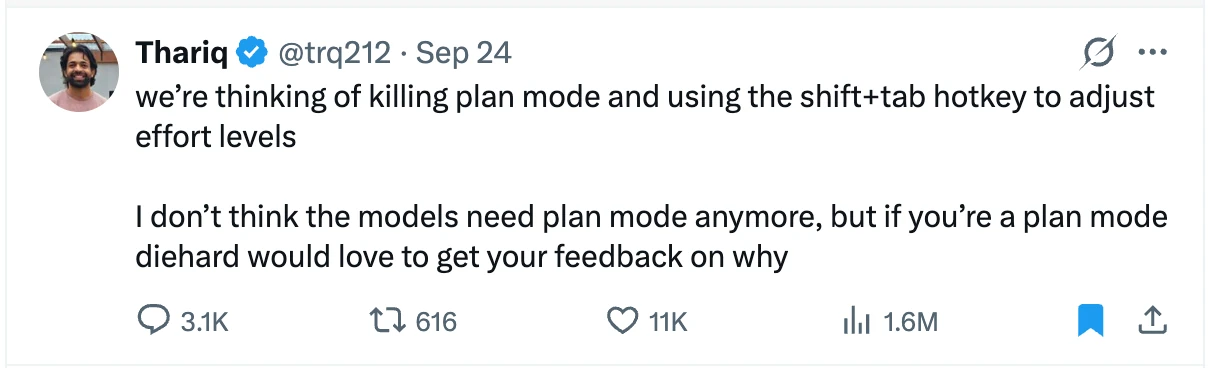
We can give the agent more freedom to plan as it works and still ask it to stop at decisions that need our judgment.
What is planning still for?
Planning helps you catch costly mistakes before implementation, such as an unnecessary screen, an unsuitable architecture or a misunderstood requirement.
It also lets the agent think through the task in a focused context, reducing the risk of context rot as code, tool output and debugging accumulate.
You do not need a written plan for every code change to get these benefits. Instead, focus your review on decisions that are costly to reverse, easy to misinterpret or difficult to judge from a description.
Which parts should the agent draft?
For a new feature, you might want to review four areas before implementation:
- Technology choices: a proposed stack, with the tradeoffs that matter to this project. A poor choice may require a substantial rewrite.
- UI: a screen draft that shows the hierarchy, controls and amount of work the feature asks of the user.
- Copy and prompts: the actual wording, including instructions that will shape an AI workflow's behavior.
- Competitor research: a focused comparison that helps you judge whether the proposed feature meets expectations or leaves an important gap.
Which areas need review depends on the task. Ask for enough detail to judge them: exact text for wording, a working prototype for interactions.
In practice, a screen draft or a comparison is often a single HTML page you can click through and mark up. Thariq has also argued that HTML is replacing Markdown as the format agents hand back to humans. HTML makes the draft easy to open and review, but the same approach works with other formats. What matters is reviewing the draft before implementation.
A small example
The example task here is to build a CLI that generates commit messages from staged changes, along with a settings page for choosing the model and output language.
A written requirement might ask for a simple settings page and concise commit messages. The drafts make both requests concrete: a one-page form, an alternative wizard, and the actual generation prompt with a sample output.
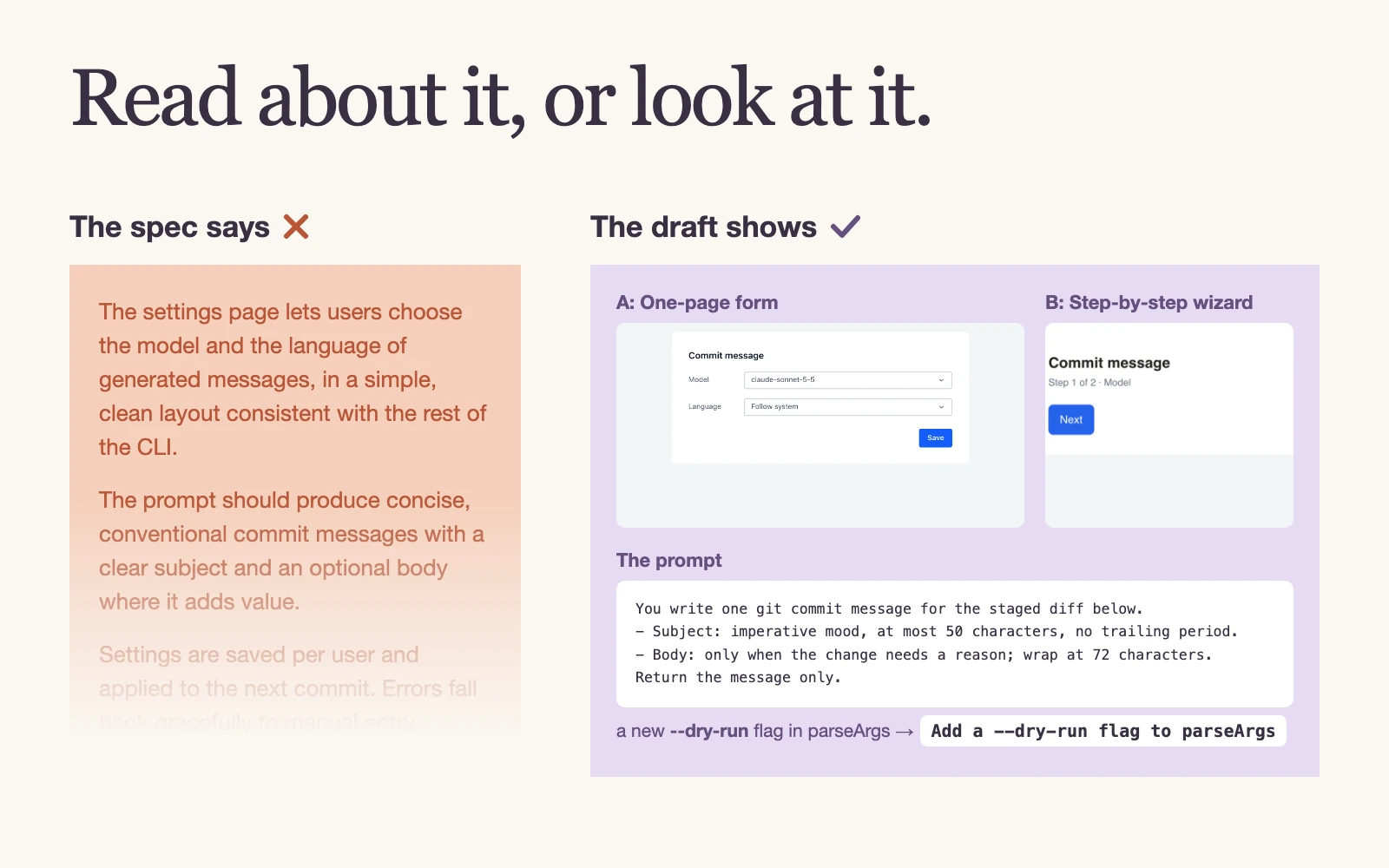
You can choose the single form over the wizard and edit the prompt while checking its sample output.
The agent then implements the selected screen and uses the revised prompt.
In AI4Kanban, the drafts sit on the task card next to the plan, where you revise them and approve the version you want the agent to build from. The method itself works without any particular tool.
How much should you leave to the agent?
Once the key decisions are settled, leave the implementation details to the agent: where to change the code, how to name a function and which existing abstractions to use.
Add brief notes for requirements the drafts cannot show: how errors should be handled, which settings should be saved or which features are deliberately excluded. A screen draft alone cannot communicate the whole task.
If the agent encounters another important product decision during implementation, ask it to bring that decision back for review rather than guessing.
Does draft-first development guarantee quality?
No. The finished feature still needs verification.
Your idea can still be wrong. The feature may match every approved draft and still fail to help users. Their experience remains the test of its value.
The parts you did not review can still diverge from what you intended. Drafts and short notes give the agent a concrete reference, but they do not specify every detail. The implementation still needs appropriate tests and review.
Some problems only appear in a working feature. A screen draft does not prove the controls work. A sample prompt output does not prove the workflow is reliable. In AI4Kanban, the post-build QA step exercises the feature from a user's perspective and reports problems for correction.
Review what you can judge early, leave implementation to the agent, and test the working feature.